

In this article
What does contract normalization mean?
Contract normalization gives source records a common way to describe their terms and units. For crypto options, this starts with the underlying, call or put, strike and exact expiry. Settlement and payoff specifications can still keep two similar-looking records in separate groups.
A useful normalized record lets you work back to the source symbol and its original quantity. Renaming a symbol or displaying every quantity in BTC does not establish that the contracts are economically equivalent.
This guide uses one quantity conversion to show what can be standardized and what still needs checking. The example is independent of any current venue listing or OptionMesh production conversion rule.
Check the contract terms before its displayed name
Treat the source symbol as a lookup key. Read the contract specification behind it, including the strike currency, expiry timestamp and exercise or settlement terms. A date label can omit the hour at which the contract expires.
The same underlying and strike can appear in products with different settlement currencies or payoff conventions. Keep those distinctions visible when comparing premiums or sensitivities. A currency conversion alone cannot remove a difference in the contractual payoff.
Deribit documents instrument identity, expiration, contract size and settlement currency as separate fields. That is a concrete example of the information to inspect; another source can name or organize these fields differently.
Keep contract count separate from base-asset quantity
First establish the unit of the incoming field. If it already expresses a quantity in BTC, treating it as a count of contracts and multiplying it again would change the meaning of the record.
When a field genuinely counts contracts, a documented contract size can provide a conversion to base-asset quantity. Keep the source value, source unit, multiplier and resulting unit together. The minimum order increment is a different specification and should not be substituted for contract size.
Worked example: 100 contracts become 10 BTC
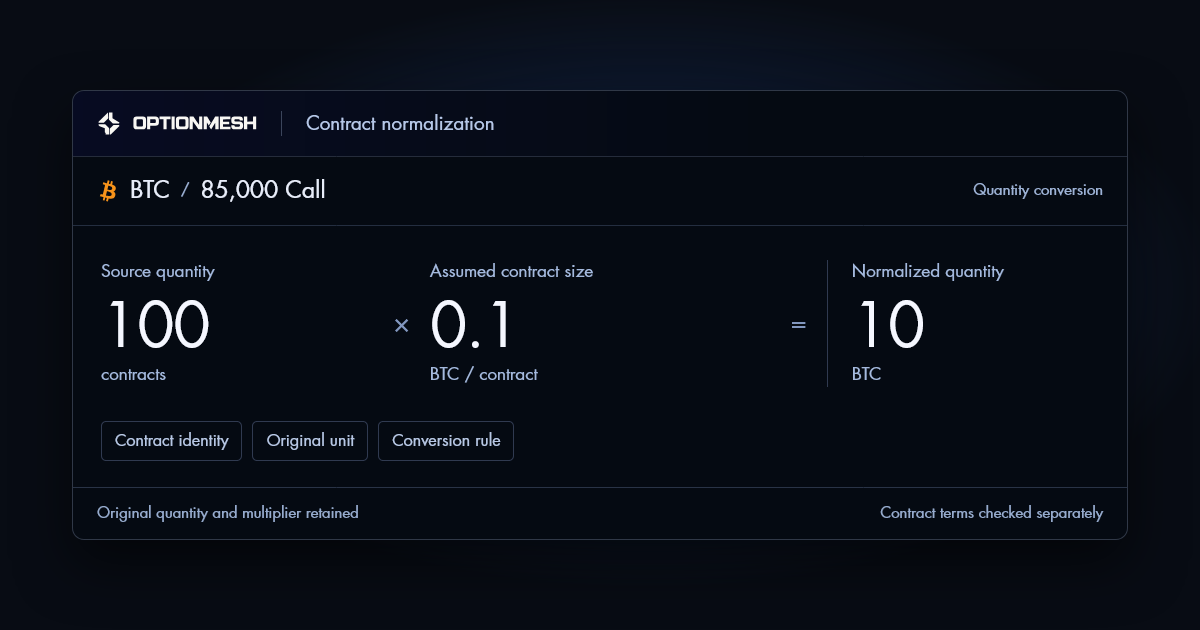
Assume a teaching record contains 100 contracts and its specification gives 0.1 BTC per contract. Its normalized quantity is 100 × 0.1 = 10 BTC. The conversion describes quantity; it makes no statement about the option premium or its USD value.
| Step | Value | Unit |
|---|---|---|
| Source quantity | 100 | contracts |
| Assumed contract size | 0.1 | BTC / contract |
| Normalized quantity | 10 | BTC |
Keep all three rows available when reviewing the result. If the multiplier cannot be established, leave the converted quantity unavailable. Replacing an unknown multiplier with 1 would create an unsupported number.
A second record already reported as 10 BTC would need no contract-count conversion. Before combining it with the first record, you would still have to verify the contract terms, measure and inclusion rules. Equal quantities do not establish a match.
Separate matching, conversion and duplicate handling
Matching asks whether records belong in the comparison. Conversion asks how a quantity should be expressed. Duplicate handling asks whether a record updates or repeats an observation that is already present. Each decision can succeed or fail independently.
For example, a later snapshot from the same source may replace an earlier observation for that source and contract. It should not become an additional open-interest contribution merely because its timestamp changed. Conversely, two independent sources with similar symbols are not automatically duplicate records.
An audit trail needs enough information to explain these decisions. A converted total without its source identity, original unit or observation time leaves the reader unable to reproduce the comparison.
What to check in a normalized view
- Identify the source record and the exact contract specifications used for the match.
- Read the incoming quantity unit before applying a multiplier.
- Reproduce the conversion with its documented contract size and resulting unit.
- Keep incompatible and unavailable records distinguishable from zero quantities.
- Check whether a later record replaces an earlier snapshot or contributes independently.
In OptionMesh, use the Data & Coverage information alongside the relevant panel to inspect the available definitions and limits. This educational conversion does not establish that every source or field can be combined.
References & further reading
Examples are educational. An illustrative calculation does not establish production coverage or a trading recommendation.